Every agent, on one screen.
Background agents leave you guessing. Is it still running? Is it stuck? Is it waiting for you? Did it finish? Fleet answers in one terminal view, for every Claude Code, Codex, and OpenCode session on your machine and every worker Hearting dispatched from them.
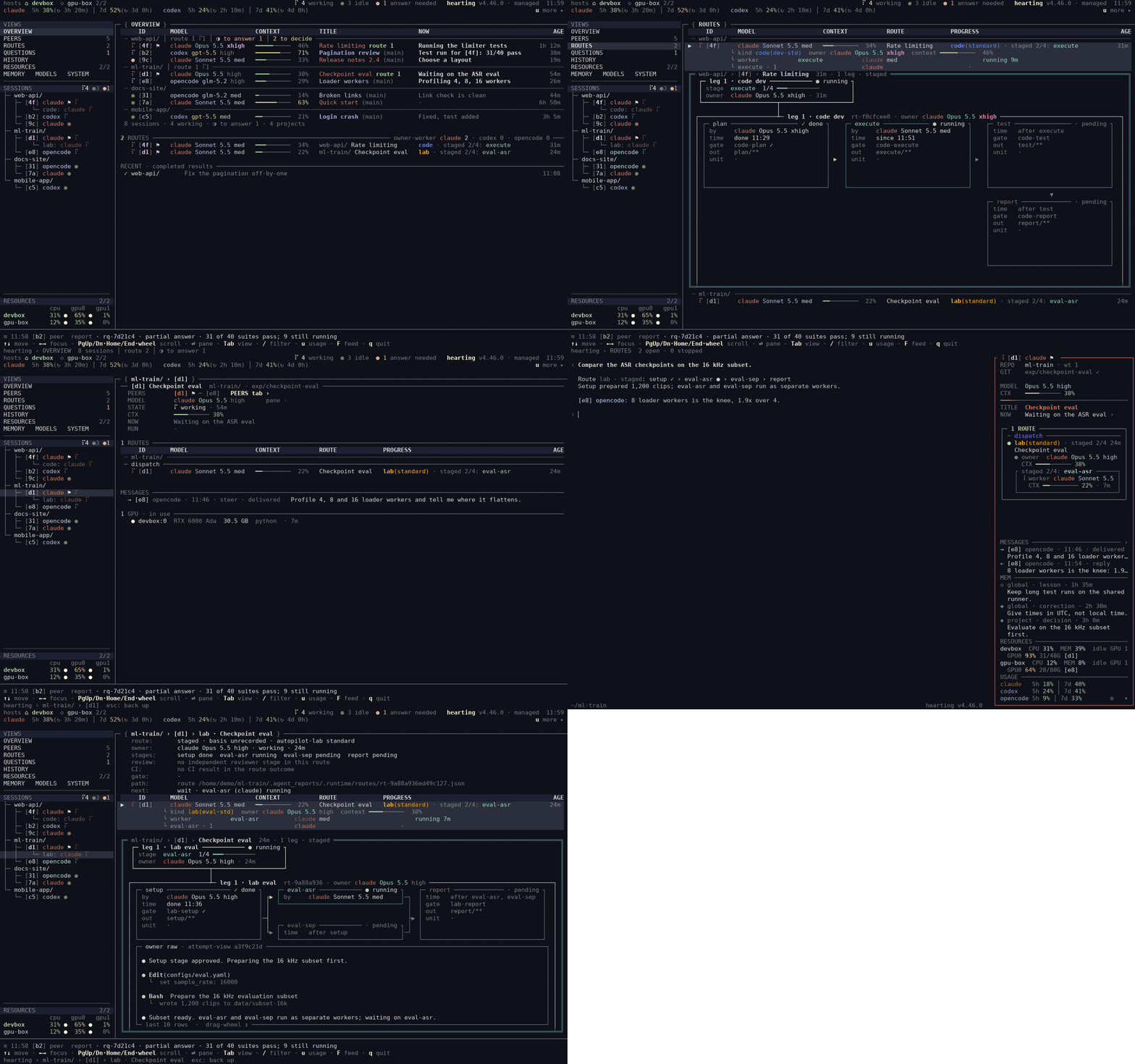
A background agent is a black box until you open its terminal.
With several sessions across three runtimes, and workers dispatched under them, you end up opening windows one by one to learn the same three things.
What is running
Working, idle, and waiting-for-you have different marks. Each session shows what it is doing now and for how long.
What went quiet
A stalled worker shows up as a stalled worker, not as a parent session that went quiet. Rows whose parent is gone are shown, not dropped.
What needs you
QUESTIONS lists every agent waiting for your answer or approval, since when, and for which request.
One screen per question.
Press Tab to move between views. Select a session or a request to open its
page.
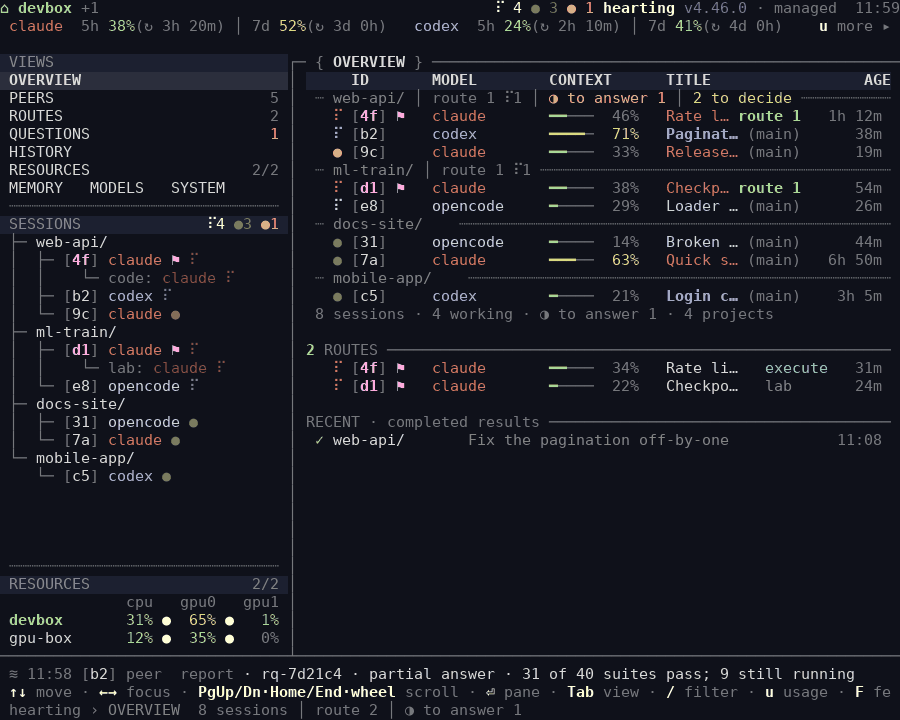
Every session, grouped by project.
Each project's line says where it stands, and each session shows what it is doing right now.
- Per project: open requests, questions waiting for you, what is left to decide, and when it last changed.
- Per session: runtime, model and effort, a short title, context left, what it is doing now, and for how long.
- Marks: working, idle, and waiting-for-you each look different.
- Top row: each runtime's usage-window gauges, and how many sessions are working, idle, or waiting.
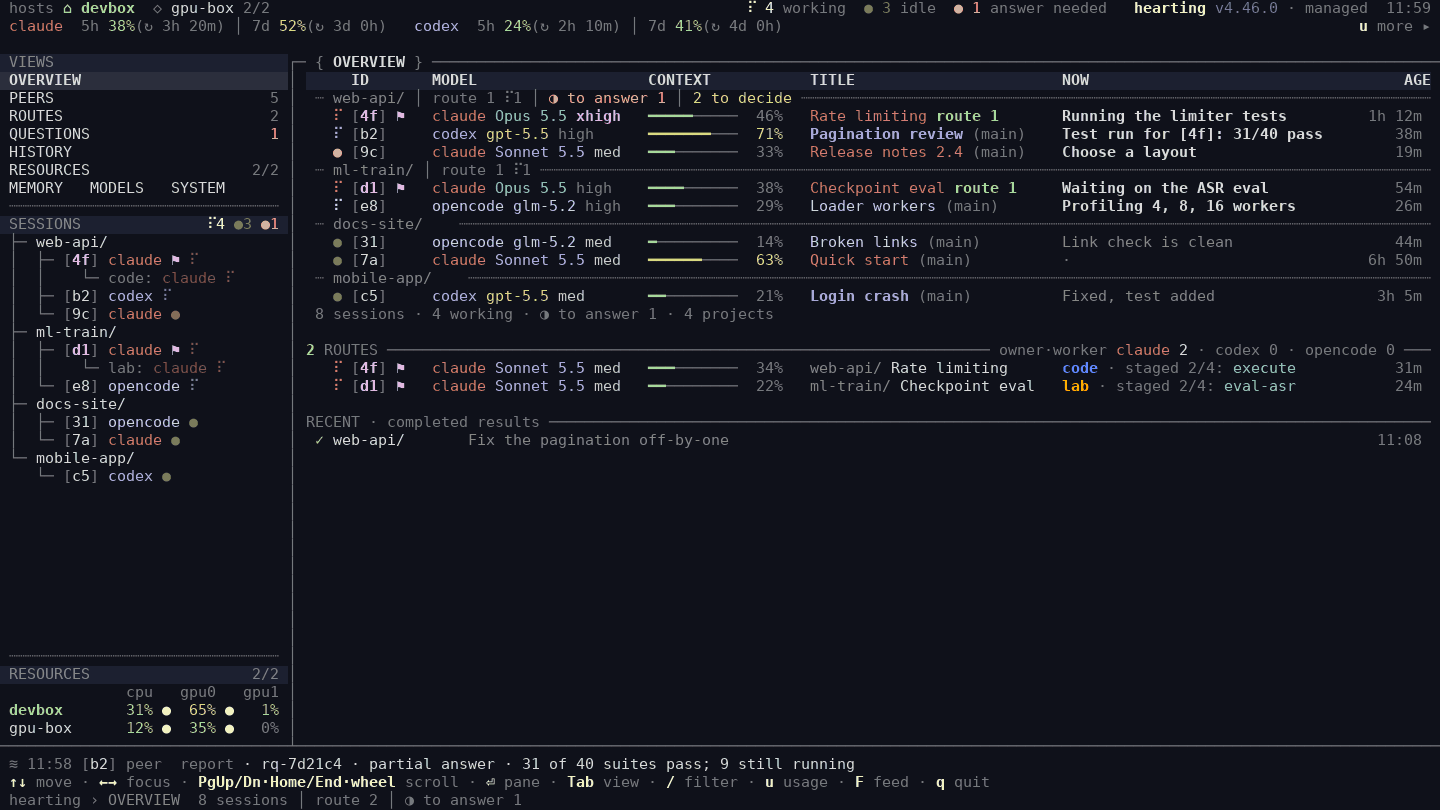
Who works with whom.
One card per session, and the newest link of each kind between them: a request, a message, a watch, and when.
- The same exchanges each session’s panel lists, at the same minutes.
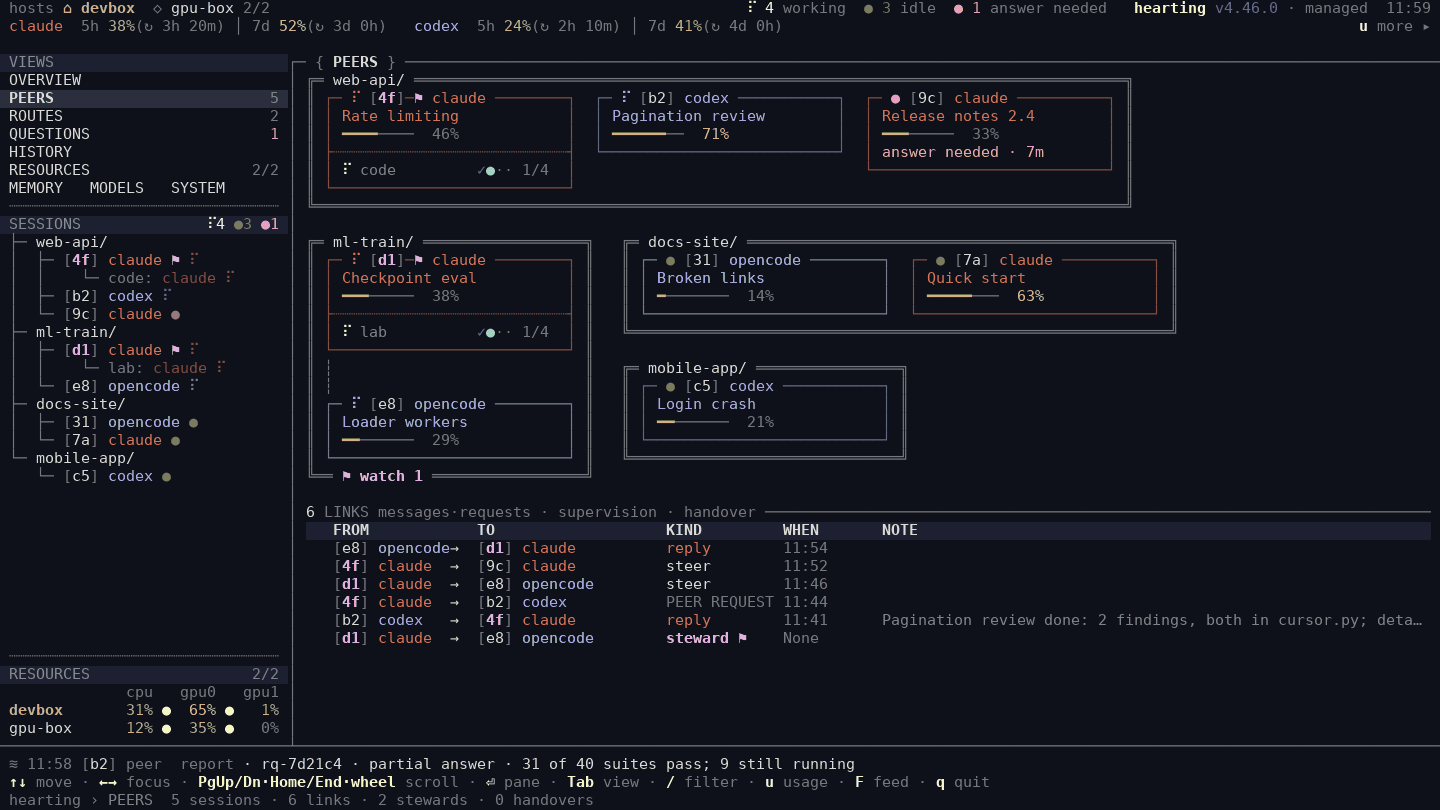
Each request, stage by stage.
A stage line such as plan › execute › test › report, with the workers running under it. Press a route to open its stages in place.
- See which stage a request is in and which worker, on which model, is running it.
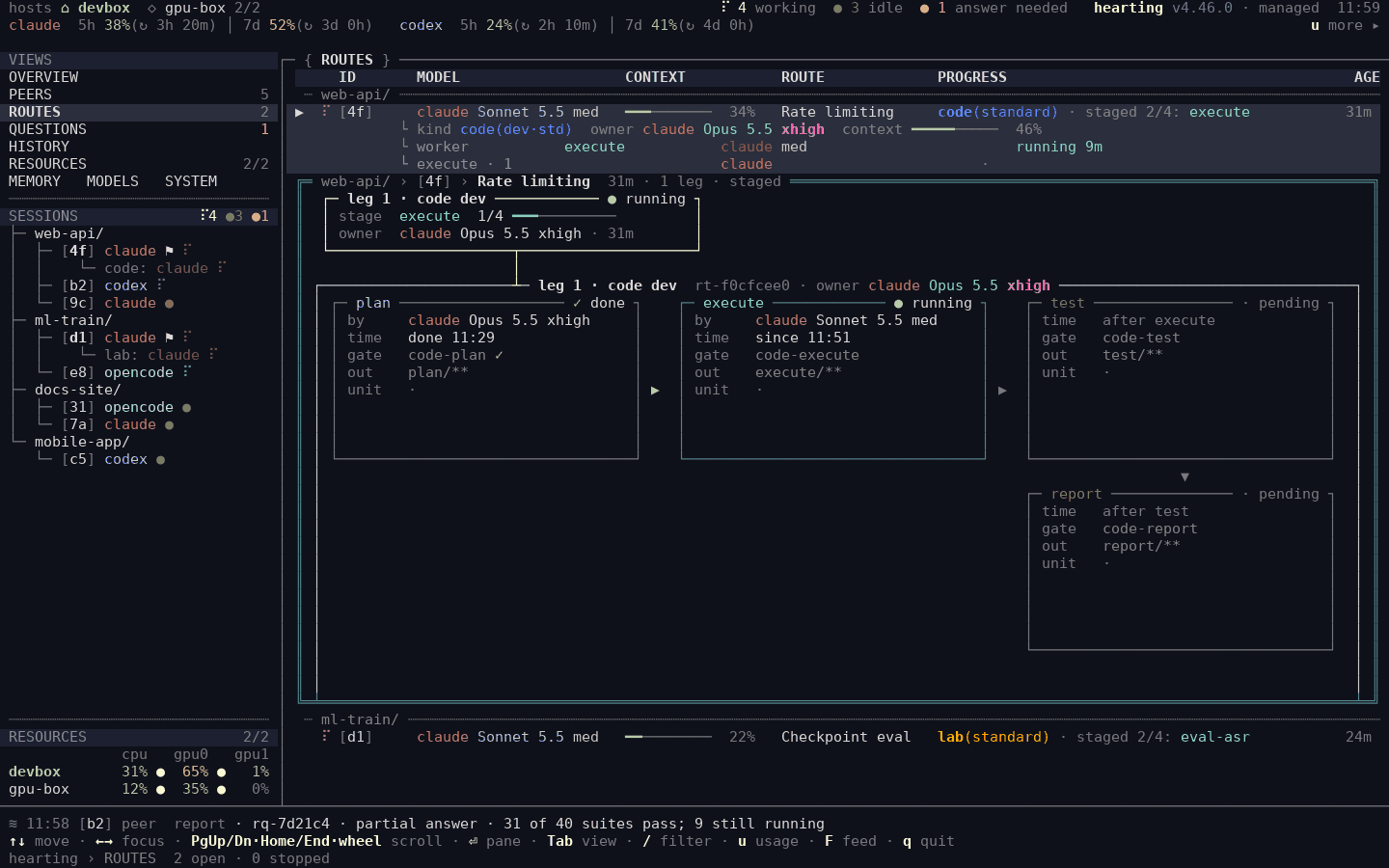
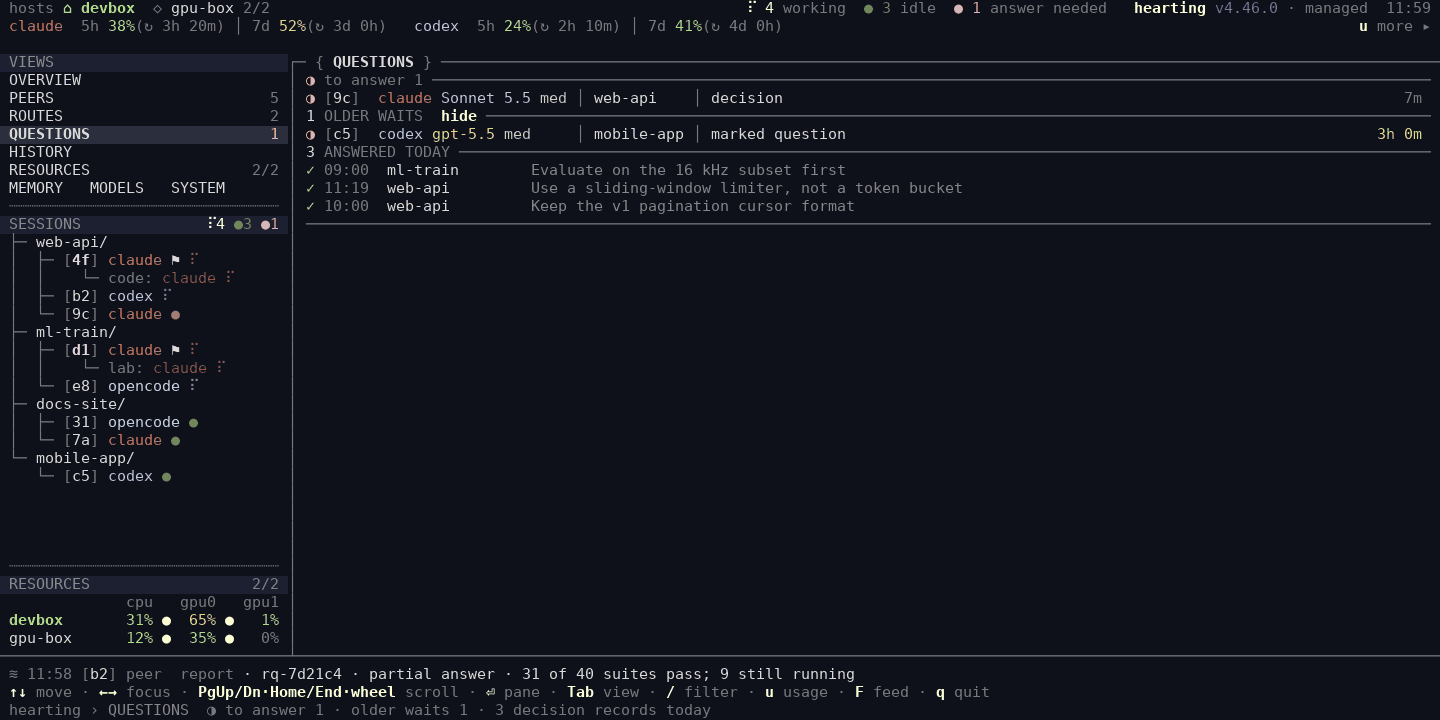
Everything waiting for your answer.
Every agent waiting for an answer or an approval: which session asks, what kind of question, for which request, and since when.
- Older waits stay listed until you answer or the work ends. Nothing drops off for its age.
- Answer from Fleet when the runtime offers a reply path. Otherwise Fleet points you to the session.
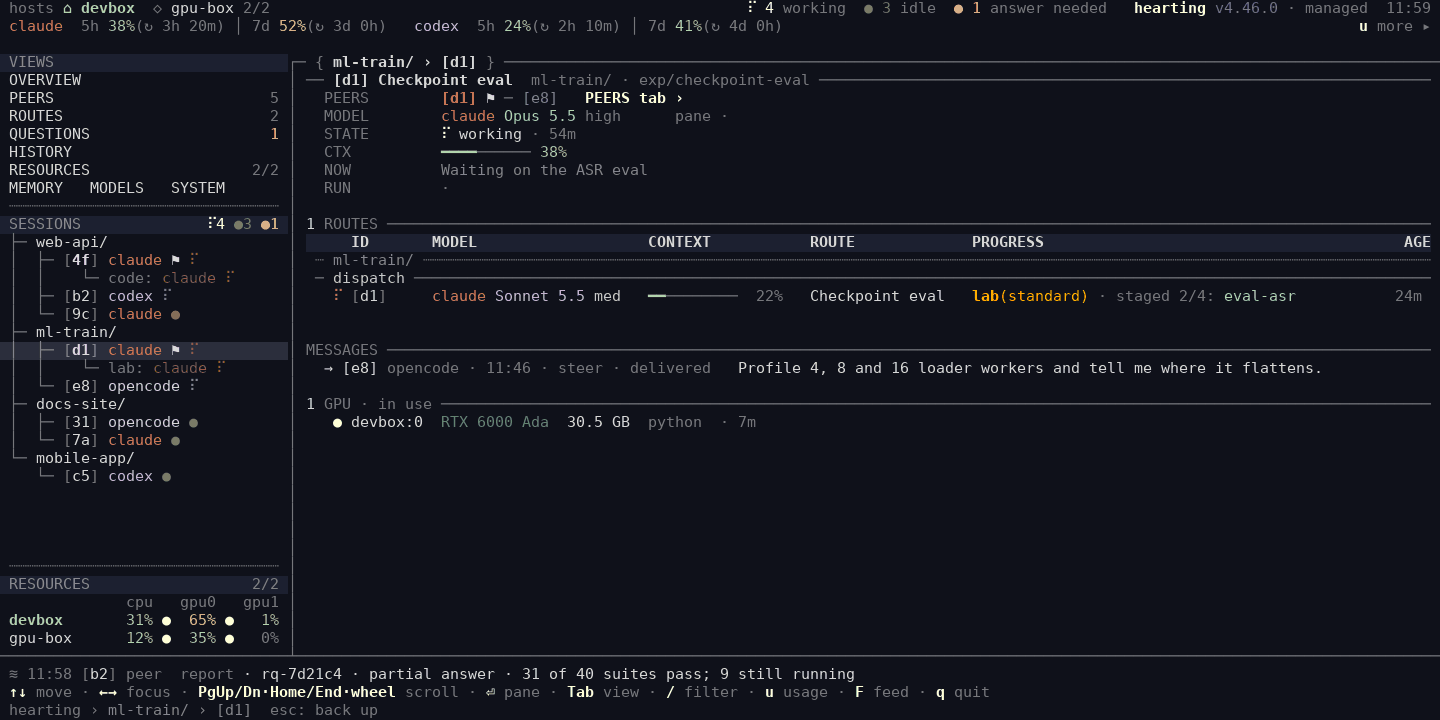
One session, in full.
State, context left, what it is doing now, its routes and requests, the messages it sent and received, who supervises whom (its PEERS row) and the sessions it is linked with, and the GPU it holds, in the session panel's words.
- Select any session in the tree to open its page.
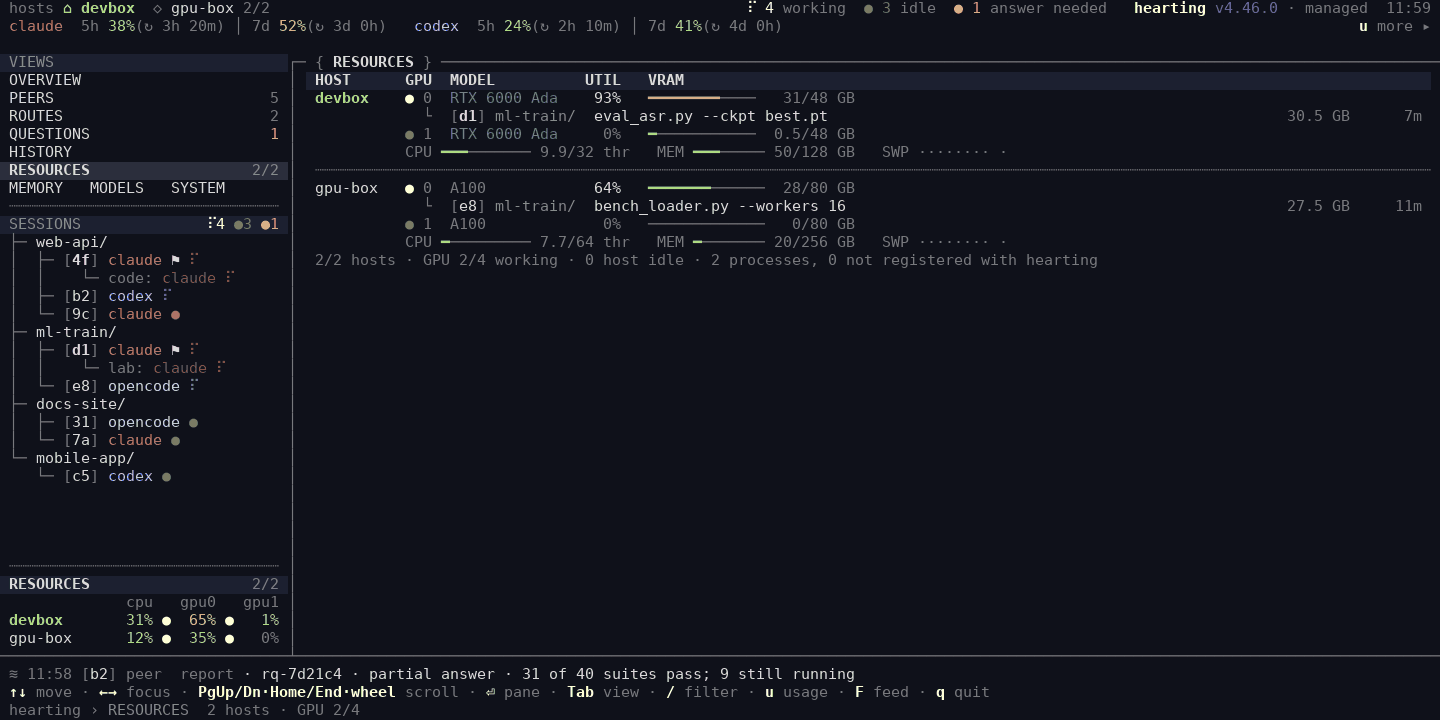
What is using the machine.
CPU, memory, and per-GPU use on this machine and on any hosts you configured, with the session that owns each GPU process.
- Even without configured hosts, Fleet shows this machine's CPU and GPU use.
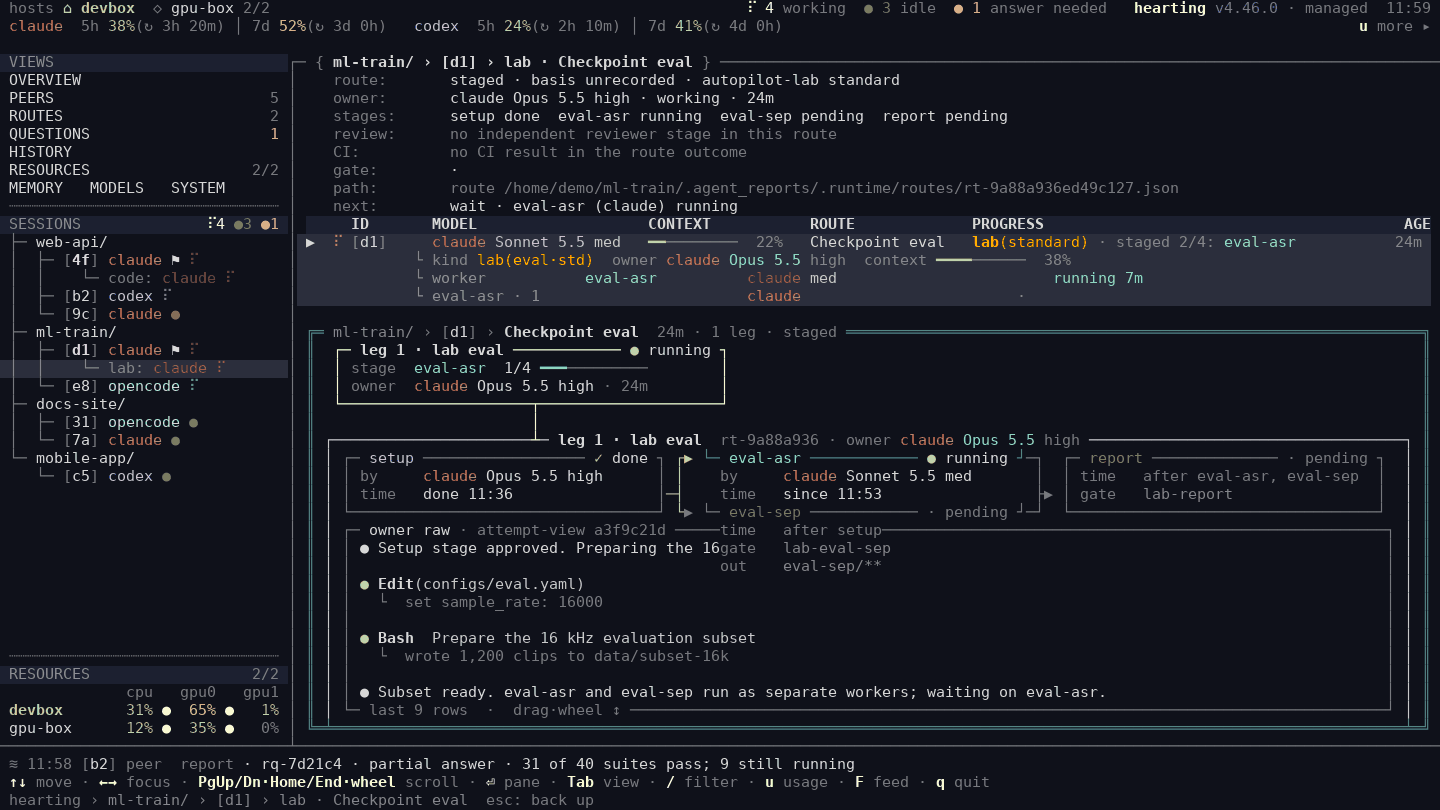
A request's stage graph and raw output.
Select a request to see its stages, and under them the owner's raw output: tool calls and results in order, without opening the runtime itself.
- Setup done, one stage running, the rest pending, and what the owner just did.
HISTORY
Earlier sessions of each terminal seat, so work that continued in a new session stays traceable.
MEMORY
Per project: the newest decisions, open work by stage, and the latest records saved to shared memory.
MODELS · SYSTEM
Which real model each budget maps to, and the installed Hearting release.
It fits a narrow terminal
The same OVERVIEW, laid out for a 100-column window. Click any picture on this page for the full-size image.
The same values, in the panel beside each session.
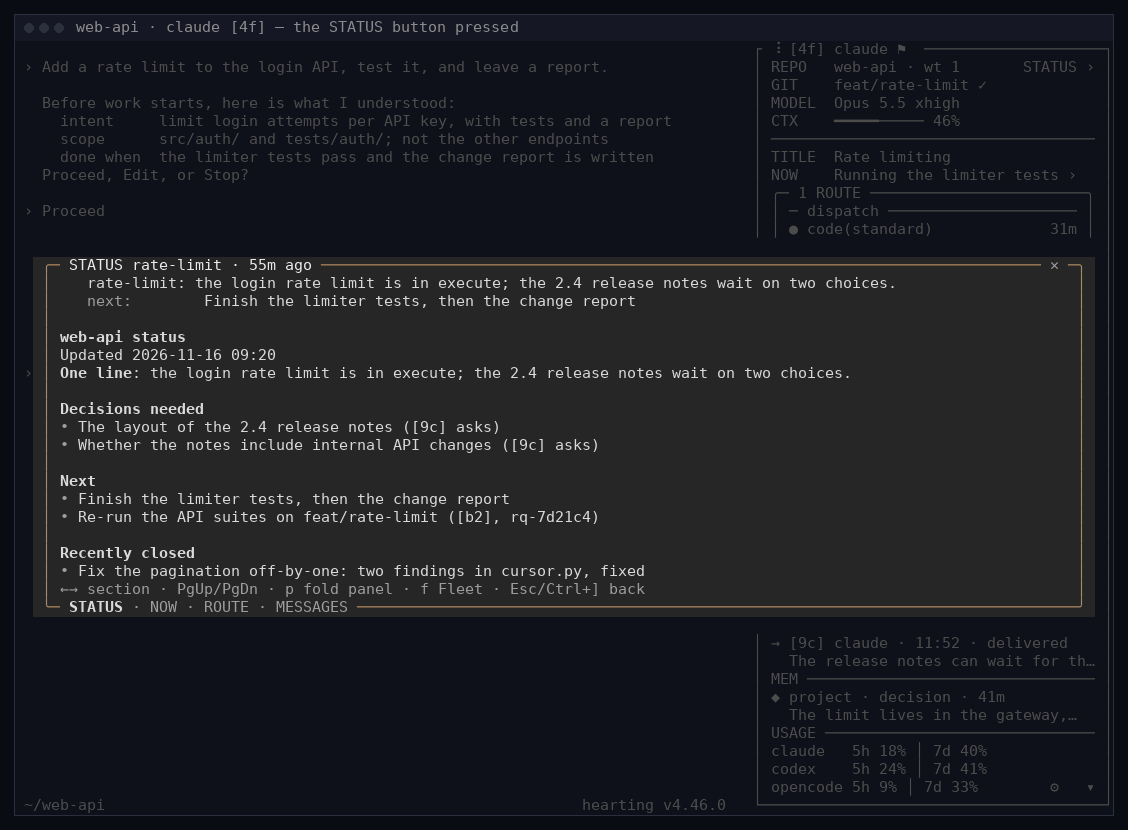
Every new Claude Code, Codex, and OpenCode terminal opens with a Hearting panel. It reads the
same records Fleet reads, so the panel’s head and the session’s Fleet row agree. After Ctrl+],
f opens Fleet in that window; on a session page in Fleet, Ctrl+] opens that exact
session’s panel.
What it shows
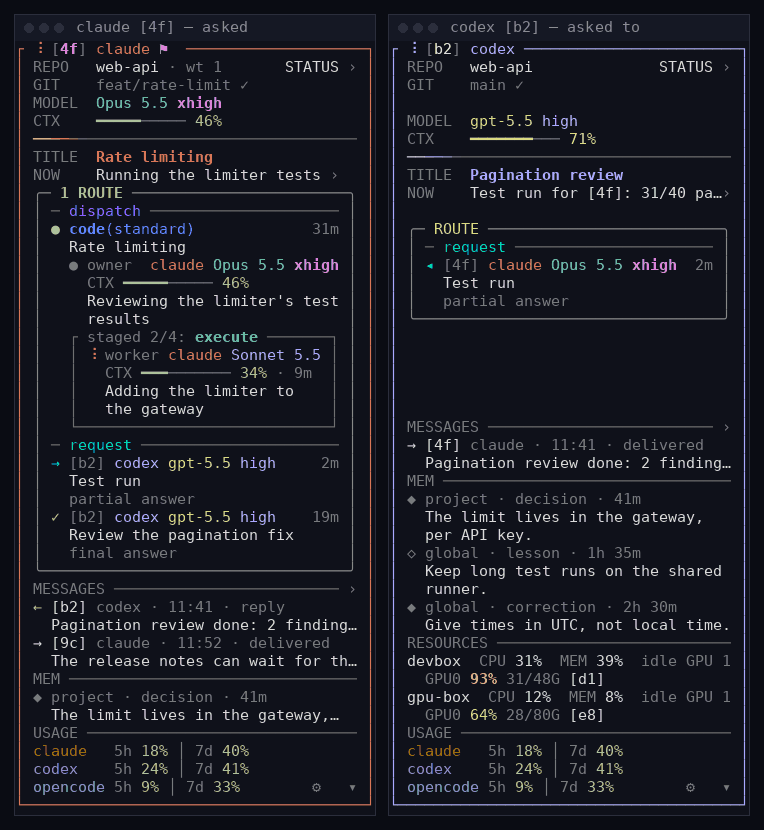
Project and Git (with a PEERS row when the session supervises or is supervised), model and context, the title and what the session is doing now; then a few rows each of the questions waiting for you, this session’s routes and requests in one box of three zones (direct, dispatch, request), messages, and saved memory with its scope and kind; then the usage windows of the three agents. The STATUS › button opens the project’s status document. Press the questions, the route box, or MESSAGES and its whole table opens in a popup in the middle of the window, the rest gray behind it; MEM and USAGE open nothing.
A question you can answer here stands in a rose-bordered box under QUESTIONS. Press
Ctrl+] and it opens in the popup: answer with Tab, 1–9, and
Enter, and the popup closes. In a narrow window the panel folds into a strip under the agent’s
screen; opened there by hand, it sits below. The conversation in these pictures is illustrative.
hearting session shell disable turns it off for new terminals.
Keys, settings, and per-runtime details →
![The bottom layout in a 100-column window: the panel under the native area, with the session's head, the 2 QUESTIONS box with a rose border, the first question, its three choices as text, the first recommended, and answer, Ctrl+] at the right; then messages and the usage of the three agents.](fleet/panel-question.png)
Sessions hand each other work
A session can hand another session work as a request: it gets a number, the other session
opens the body itself, partial reports keep it open, and a final report closes it and wakes the session
that asked. Both panels list it in the route box’s request zone until it closes — → handed
out, ◂ handed to you, ✓ finished.
Messages and watching work the same way, and none of it needs herdr or tmux. Fleet lists a session’s requests on its session page and shows the newest as a PEERS link; it has no list of every request across sessions, and you cannot send one from Fleet yet.
It shows what the work recorded, and nothing it made up.
Built from the work’s own records
Fleet reads the attempt registry the dispatcher writes and each runtime’s own session state. It does not guess from what a terminal printed.
Unknown stays unknown
A value Fleet could not read is shown as ?. Never as zero, never as success.
Watching changes nothing
Observation never completes, retries, or cleans up work. Fleet acts only on what you select, such as answering a waiting question.
Installed with Hearting. One word to start.
Press Ctrl+] then f in any session’s window, or run
fleet in any terminal.
fleet              # the Explorer, full screen (needs curses)
fleet --once       # one plain snapshot
fleet --json       # the same state as JSON, for scripts
fleet-monitor      # the earlier group/process view
Titles and Fleet’s own words follow your language. Set
title_language in ${XDG_CONFIG_HOME:-~/.config}/hearting/fleet.json to override it.
--once and --json need no curses, so they also work on
Windows under Git Bash (experimental).
Fleet is not light yet.
On a busy machine with a long work history and many live sessions, one Explorer window:
Measured use. Lowering its CPU use continues in v4.x.
Measured use of one Explorer window, on that machine.
A new window draws its first screen as soon as the session list is read, and marks the cells still
loading details wait.
See every agent without opening a single terminal.
Fleet comes with Hearting. Install once, then run fleet.